

When running a car workshop, the choice between sticking with Excel spreadsheets and adopting dedicated workshop management software isn’t as clear-cut as some might think. For many garage owners and service managers, Excel (or Google Sheets) is the backbone of day-to-day operations, tracking jobs, parts, quotes, and customers, often alongside WhatsApp and a bit of paper. But as workshops grow, the cracks in this approach widen. This article gives a balanced, practical comparison of workshop management software vs Excel, with a focus on real-world needs and the unique pressures faced by automotive workshops, especially in Singapore’s fast-paced market.
1. Why Most Workshops Start With Excel
Most car workshops start with what they know. Excel is free, familiar, and flexible. There’s no upfront investment, no training curve, and it works on any PC. For a workshop handling a handful of jobs a day, tracking them in a spreadsheet makes perfect sense. You can list jobs, jot down customer details, manage simple parts lists, and even track payments all in one file. Choosing Excel at the start isn’t a mistake; it’s a sensible, practical decision for a business just getting off the ground.
2. What Excel Does Well
Let’s give Excel due credit. It handles:
- Simple lists: Keep job logs, customer contacts, and parts lists in neatly organized rows and columns.
- Quick calculations: Calculate totals, markups, and costs with formulas.
- Custom columns: Add, remove, or rearrange columns as your processes evolve.
- Ad-hoc reporting: Filter, sort, and make one-off reports as needed.
For a solo workshop owner or a two-person team handling just a few cars a week, this flexibility is hard to beat. You’re in full control, and there’s no software to learn or pay for.
3. Where Excel Breaks Down in a Car Workshop
As soon as your operations get busier, the limitations of Excel become harder to ignore, especially for jobs that go beyond simple lists and numbers. Here’s where things get tricky on a real workshop floor:
- Photos and Vehicle Condition: You can’t meaningfully store intake photos or detailed condition records in a spreadsheet row. At best, you’ll have a file path or a folder somewhere else, but it’s not tied to the job in a way that’s useful.
- Live Job Status: There’s no live status tracking. Staff and customers have to ask, “Is my car ready?” because the answer isn’t visible anywhere.
- Technician Allocation: Assignments live in someone’s head, on a whiteboard, or in a chat, not in the spreadsheet. This leads to confusion and delays, especially as your team grows.
- Parts and Invoicing: Parts used on jobs aren’t linked to your inventory or the invoice. You end up copying data between sheets and re-typing line items, increasing the risk of mistakes.
- Customer Communication: Excel can’t send WhatsApp updates, reminders, or follow-ups. You have to handle all customer messaging separately.
- Collaboration and Version Control: When more than one person edits the file, especially in Google Sheets—versions conflict, information goes stale, and jobs can slip through the cracks.
4. Head-to-Head Comparison: Workshop Software vs Excel
Let’s compare Excel and workshop management software across the key workflows that matter:
| Intake & Job Cards | Manual entry; no photos or signatures | Mobile jobcard app with photos, digital records, printouts |
| Vehicle Condition Photos | Stored separately, hard to link | Photos captured and attached to job record |
| Quotes & Markups | Manual calculation; re-type parts | Automatic markup, cost/price calculation, import parts, send via WhatsApp |
| Customer Updates | Handled manually via WhatsApp or calls | Instant acknowledgement and job updates via WhatsApp |
| Technician Assignment | Not tracked in Excel; done verbally | Supervisor assignment app, workshop dispatch board, live status displays |
| Parts & Stock | Manual tracking, not linked to jobs | Parts added to job, inventory barcoding, vendor quotes |
| Reminders & Retention | No automation, handled manually | Automatic service reminders, feedback requests, loyalty points |
| Reporting | Custom reports possible, but manual | Dashboard with revenue, profit margin, turnaround, utilization |
| Upfront Cost | Free (except time spent setting up) | Subscription cost |
| Learning Curve | Minimal—everyone knows Excel | Some training required, but tailored for workshops |
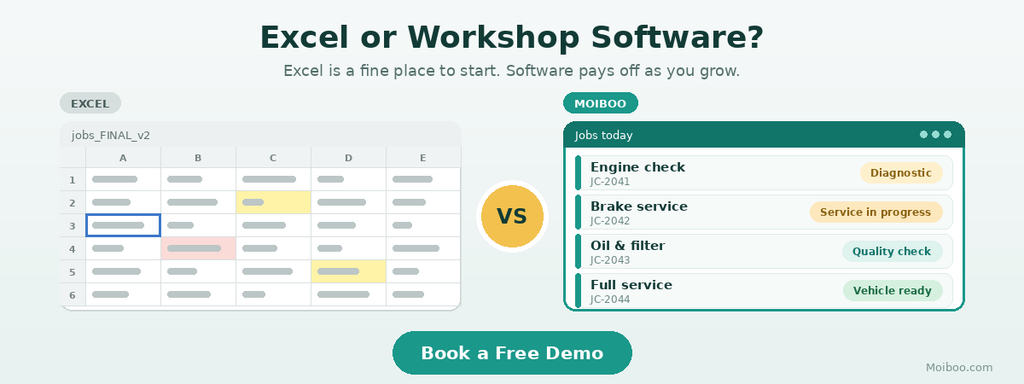
Excel clearly wins on upfront cost and familiarity. Anyone can start using it in minutes. But as your workshop’s needs grow, the gap widens.
5. When Excel Is Still Enough
If you’re running a very small garage just you and perhaps one other person- handling a few jobs a week, Excel may still fit. If all the information you need fits on one screen, and you don’t have to share live updates or manage multiple technicians, there’s little reason to rush into software. The tipping point usually comes when:
- More than one person needs the same live information.
- Jobs pass through several hands or stages.
- Customers start chasing updates, not just invoices.
Until then, Excel remains a practical, if limited, solution.
6. Signs You’ve Outgrown Excel
Not sure if you’re at the threshold? Watch for these signs:
- Lost Jobs or Paperwork: Jobs or jobcards go missing, or nobody’s sure if work started.
- Repeated Customer Queries: “Is my car ready?” comes up several times a day.
- Parts Mismatches: Parts used don’t match stock levels or what was billed.
- Technician Downtime: Staff are waiting for instructions or assignments.
- No Quick Profit View: You can’t quickly see which jobs are profitable.
- Lack of Follow-Up: No customer is contacted after their service is complete.
If any of these sound familiar, it’s time to look beyond spreadsheets.
7. How Moiboo Replaces the Spreadsheet, Job by Job
Switching to automotive workshop software like Moiboo isn’t just about “going digital”; it’s about putting all those scattered tasks into one system that everyone can see and use. Here’s how Moiboo tackles the specific jobs that Excel was handling:
Job Cards and Intake
- Use the mobile Jobcard App to create a jobcard, take photos, and record vehicle condition as the car is received no more paper or scattered images.
- Instantly acknowledge the customer via WhatsApp, giving them confidence their car is in good hands.
- Print a jobcard for the technician, already linked to the digital record.
Quotes
- Enter parts with cost prices and markup percentages; the system calculates selling prices and totals automatically.
- Send quotes directly to customers via WhatsApp for quick approval.
- Import parts into quotes, saving time and reducing errors.
Technician Allocation and Live Status
- Assign jobs to technicians using a supervisor app—no more whiteboards or guesswork.
- Display all jobs and their status on a Workshop Dispatch Board (on a TV in the shop), so everyone sees what’s next.
- Show progress to waiting customers via a dedicated TV in the lounge.
Parts and Stock
- Add parts directly to each job; inventory is tracked as parts are issued.
- Use your phone camera for inventory barcoding when receiving or issuing parts.
- Send requests for quotes to multiple vendors at once, streamlining purchasing.
Reminders and Retention
- Automatically send service reminders and feedback requests via WhatsApp.
- Build customer loyalty with a points program, encouraging repeat visits.
Reporting
- See revenue, gross profit, margin, turnaround time, and technician utilization at a glance on a live dashboard.
Each of these features replaces a manual, error-prone process from your spreadsheet system—without adding unnecessary complexity.
8. Switching Without Disrupting the Workshop
Change can be daunting, but a gradual approach works best. Start by moving just one process: job cards and quotes are the easiest entry points. Run the new system side-by-side with your spreadsheet for a short period. Only retire the spreadsheet once staff feel comfortable and confident in the new workflow.
While Moiboo offers a parts import option for the quote screen, there isn’t a full spreadsheet migration tool shown in the reference material. The most important step is choosing the right moment and involving your team in the transition.
Frequently Asked Questions
Once more than one person needs to access live job information, or when several jobs and technicians are in play at once, Excel usually starts to struggle. This is often at three or more staff, or when your workflow involves multiple handovers.
Absolutely. Some workshop owners use Excel for specific ad-hoc reports or data analysis even after adopting digital workshop management. The key is to run core operations jobs, parts, customers in the software.
Modern automotive workshop software, including Moiboo, is built for workshop teams, not tech experts. Most features are app-based and designed for quick on-the-job use, with minimal training.
You won’t lose access to your old spreadsheets; they can be kept for reference. Workshop software may allow you to import some information (like parts), but it’s best to check what’s supported. Most workshops keep their spreadsheets as archives for some time.
For a one-person garage, Excel is often enough. But as soon as your workflow involves several people, multiple jobs at once, or a need for live updates and customer messaging, the advantages of dedicated garage management software become clear.
Conclusion
Excel is a reasonable and practical starting point for a very small workshop. But as your business grows, and more people, jobs, and customers need the same live information, the old system begins to slow you down. Workshop management software like Moiboo helps move all those tasks job tracking, photos, quotes, parts, reminders, and reporting out of people’s heads and disconnected spreadsheets, and into one system everyone can use.