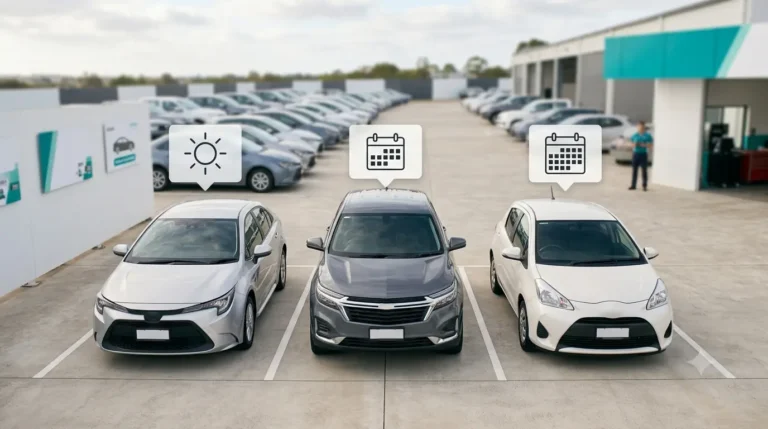

Managing car rental bookings day to day can be stressful especially when cars disappear from the calendar, customers arrive for vehicles that aren’t ready, or bookings accidentally overlap. If you’re tracking rentals on a spreadsheet, wall calendar, or WhatsApp, chances are you’ve already experienced the headaches of double-bookings and missed reservations. This guide explains why those problems happen, what you need to track, and how modern car rental booking management tools can help you move to a more reliable, professional system.
1. Why Availability and Bookings Go Out of Sync
Availability issues usually arise for a few simple reasons:
- Multiple Staff, Multiple Records: If several people are taking bookings by phone, WhatsApp, or email and jotting them down in different places, it’s easy for records to become inconsistent.
- Information Scattered: Bookings tracked in a spreadsheet, while some changes are discussed in chats, quickly lead to confusion.
- Unlogged Changes: Extensions, early returns, or swaps done in a hurry may not get updated in the main record.
- Cars Unavailable: Vehicles might be late back, off-road for service, or in accident repair—but still show as available in your booking sheet.
The result? Two customers promised the same car, or a booking forgotten entirely.
2. What You Need to Track for Every Vehicle
For smooth car rental scheduling, your team must know, at a glance, for each car:
- Is it available, booked, due back, overdue, or in maintenance?
- Booking details: Dates/times of pickup and return, and the customer name.
- Special status: If a car is reserved but the deposit is pending, or if it’s temporarily out of service.
Tracking “due back” and “overdue” is critical. A late return can block the next booking, so your system must flag vehicles that are at risk of causing a chain reaction of delays.
3. Step 1: Capture Every Enquiry in One Place
Best Practice: Log every enquiry, whether it comes via website, call, walk-in, referral, or corporate account in a single list, with a status (e.g., new, follow-up, proposal sent, booking confirmed) and a follow-up date. This stops leads slipping through the cracks.
→ With Moiboo:
The CRM list gathers all customer enquiries in one dashboard, showing status, priority, vehicle type, pickup date, source (website, walk-in, referral, email, corporate, or call), and the assigned sales advisor. Enquiries can be assigned and follow-up dates set, making sure every lead is handled professionally.
4. Step 2: Check a Live Calendar Before You Confirm
Best Practice: Never confirm a booking from memory or by glancing at yesterday’s file. Always check a live, shared view of fleet availability that updates in real time for everyone.
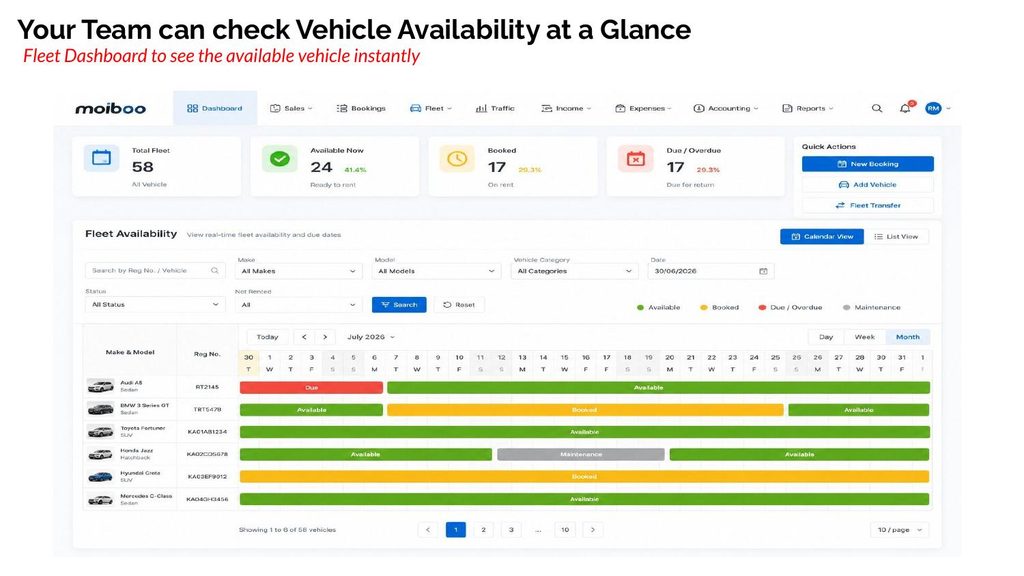
Rental calendar software gives you a calendar view of each vehicle’s status available, booked, due back, overdue, or in maintenance so you can see at a glance what’s free and what’s not.
→ With Moiboo:
The Fleet Dashboard offers a calendar view of your entire rental fleet by day, week, or month. Vehicles are color-coded for status: available, booked, due/overdue, or in maintenance. There’s also a list view with filters for registration, make, model, category, date, and status. You can see counts for total fleet, available now, booked, and due. This dashboard is for staff to manage bookings and avoid conflicts, not a customer-facing calendar.
5. Step 3: Record the Booking Properly
Best Practice: A booking is only confirmed once the deposit is collected and the rental agreement is signed. Verbal promises or WhatsApp confirmations aren’t enough record every booking in your car rental system.
→ With Moiboo:
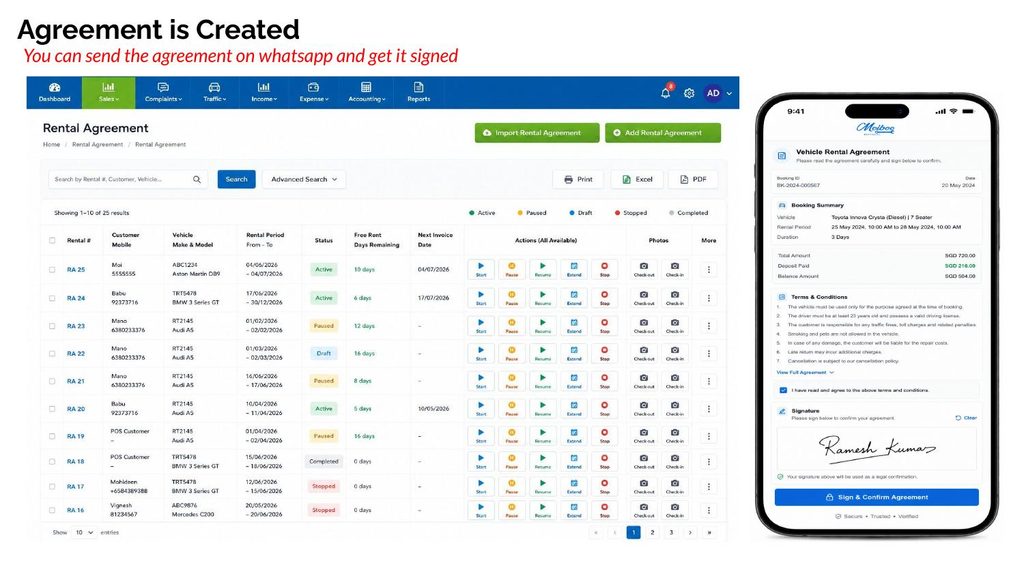
You can send an e-form to collect the deposit and payment details, and send the rental agreement via WhatsApp for the customer to sign. The system’s agreement list shows each rental’s status, period, and next invoice date, keeping everything clear and compliant
6. Step 4: Keep Availability Accurate When Rentals Change
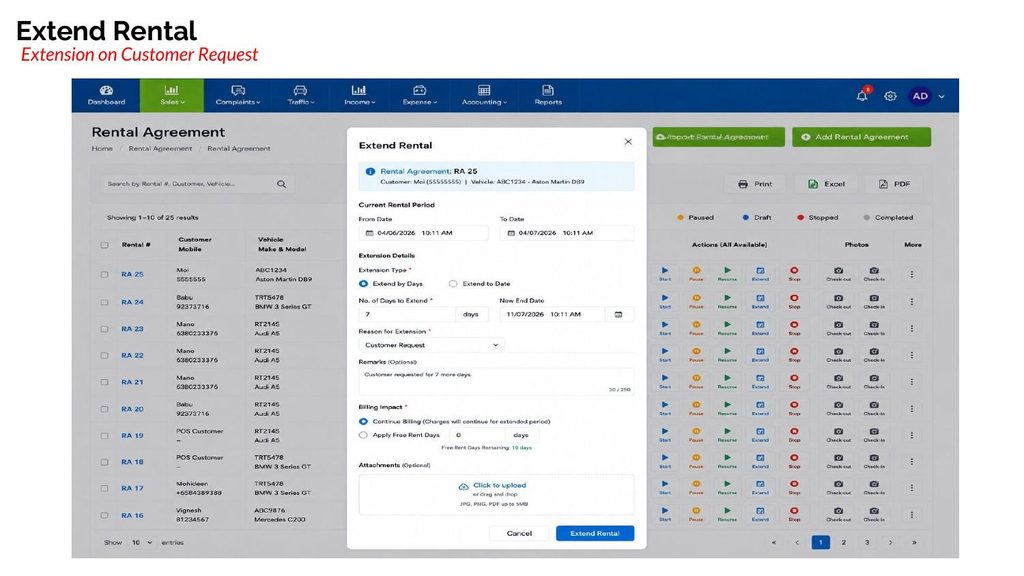
Best Practice: Whenever a rental is extended, paused, resumed, stopped early, or the vehicle is swapped, update the records immediately. Even a one-day extension can affect several future bookings.
→ With Moiboo:
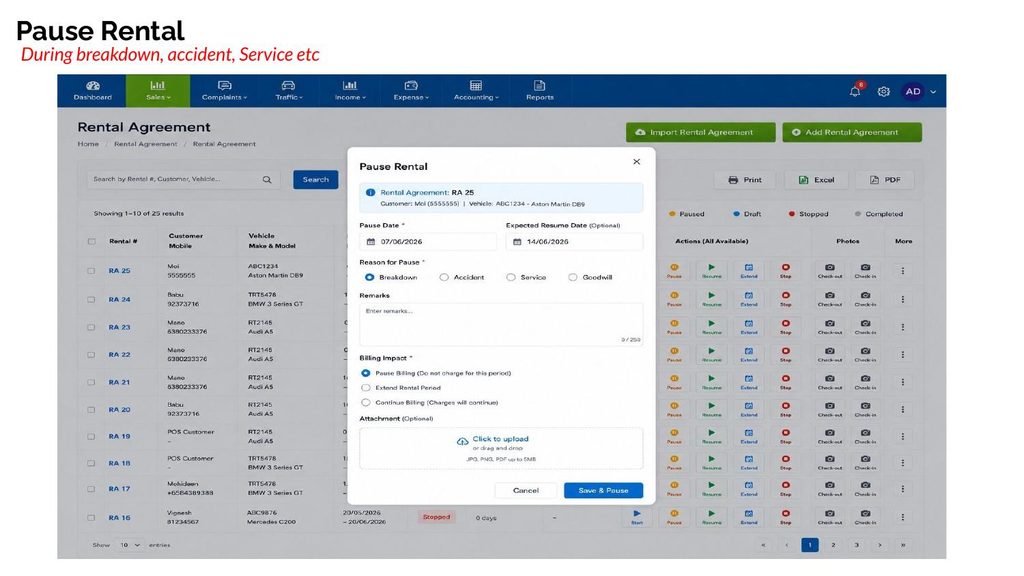
Actions like Start Rental, Pause, Resume, Extend, Stop Rental, and Replace Vehicle (for upgrades, downgrades, or same class swaps) keep your booking records and vehicle availability tracking up to date in real time.
7. Step 5: Handle Due Returns and Maintenance Blocks
Best Practice: Each day, check which vehicles are due back, overdue, or in maintenance. Chase up late returns and make sure cars in the workshop are not made available for new bookings.
→ With Moiboo:
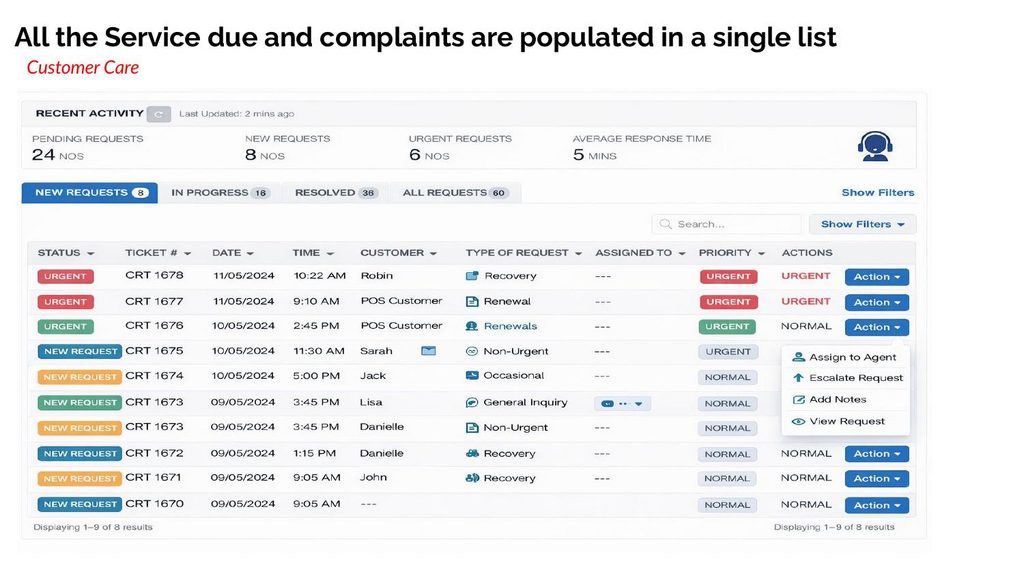
The dashboard flags vehicles due or overdue for return and displays maintenance status on the same calendar. Maintenance workflows let you create a schedule, track upcoming jobs, book the workshop, and generate job cards so cars in service never get accidentally double-booked.
8. Common Mistakes When Tracking Availability
- Confirming bookings from memory
- Keeping records in multiple places (files, chats, calendars)
- Forgetting to update after a booking extension or vehicle swap
- Not marking cars that are due back or overdue
- Offering cars that are in maintenance for new bookings
- Leaving enquiries in WhatsApp or email without logging or follow-up
9. A Simple Daily Routine
Start of Day Checklist:
- Review today’s returns and overdue vehicles
- Check tomorrow’s pickups
- Confirm maintenance blocks
- Follow up on open enquiries
End of Day Checklist:
- Update status for vehicles returned, extended, or swapped
- Chase overdue returns
- Review new enquiries and set follow-up actions
- Check tomorrow’s availability and bookings
Frequently Asked Questions
Always check your rental calendar software before confirming a booking. Log every enquiry and update bookings immediately when changes happen. Using a car rental booking management system like Moiboo helps keep everyone on the same page.
A live, shared calendar that shows every vehicle’s status booked, available, due back, overdue, or in maintenance is ideal. Car rental scheduling software provides this view and updates in real-time.
A reservation is a customer’s request for a vehicle, while a booking is confirmed once the deposit is collected and the agreement is signed. Always record the full booking details in your car rental system.
Online car rental reservations let customers request vehicles via your website. Even if you don’t have self-service online booking, rental reservation software like Moiboo can hold web enquiries in the CRM list, and your staff can confirm and record bookings from there.
Flag the vehicle as overdue in your rental calendar software, follow up with the customer, and adjust future bookings as needed. Make sure any knock-on effects are updated in your system to avoid further conflicts.
Conclusion
Keeping rental car availability accurate means:
- Logging every enquiry in one place
- Checking a live calendar view before confirming any booking
- Recording every change, extension, return, and swap immediately