
Introduction
In the fast-paced world of automotive workshops, owners and service managers juggle technicians, repair jobs, and limited workshop bays every day. Relying on whiteboards, memory, or shouting across the floor leads to missed deadlines and hidden inefficiencies. This guide unpacks best practices for technician management, repair job tracking, and workshop bay management, showing how integrated workshop management software, like Moiboo, brings order, visibility, and control to every corner of the shop floor.
1. Why Technicians, Jobs and Bays Have to Be Managed Together
Technicians, repair jobs, and workshop bays are three pillars of a productive workshop, and each depends on the others. If a bay is free but no technician is available, the space sits idle. If a technician has no clear job assignment or is waiting for a bay, their time is wasted. When jobs, bays, and technicians are managed separately across scattered notebooks, chats, or memory, work grinds to a halt, and delays remain invisible until customers start asking questions.
Best Practice:
Coordinate all three resources together. An efficient garage management system gives a live picture of technician availability, job status, and bay capacity in one place, so you can assign work and book jobs with confidence.
How Moiboo Helps:
Moiboo’s workshop management software Singapore platform links technician, job, and bay data in real time. Supervisors can view jobs, assign technicians, and see bay capacity within a single dashboard, replacing the need for manual coordination.
2. Managing Technicians: Skills, Workload and Assignment
The Problem
Assigning jobs by habit or proximity rather than by skillset and current workload leads to some technicians being overloaded while others wait. This invisible waste eats into productivity and increases the risk of mistakes or missed deadlines.
Best Practice
Allocate jobs based on each technician’s skill area and their current workload. Track assignments and ensure work is distributed fairly and efficiently, minimizing idle time and maximizing shop output.
How Moiboo Supports Technician Management
Moiboo’s Job Assignment app gives supervisors the power to assign jobs from a phone or tablet. The app displays today’s total jobs, unassigned and in-progress work, delayed and high-priority tasks, and a job queue. Each available mechanic is shown alongside their active jobs, current workload, and specialist skills. Assignment is handled with a single tap—no more shouting across the floor or hunting for technicians. This technician management software makes skill-based assignment the default, not an afterthought.
3. Managing Repair Jobs From Diagnosis to Delivery
The Problem
When repair jobs are tracked only in memory or on scraps of paper, important steps get skipped, and information gets lost. There’s no standardized flow, which makes it easy for jobs to stall or for details to go missing.
Best Practice
Every repair job should move through clear, documented stages—from diagnosis to delivery—with a record at each step. This ensures nothing depends on memory and supervisors can see exactly where each job stands.
How Moiboo Streamlines Repair Job Management
Moiboo’s workflow covers the entire repair journey:
- Digital Diagnosis: Technicians complete checklists, attach photos, note required parts, and estimate labour hours.
- Diagnosis Review & Approval: Service advisors review and approve the diagnosis before proceeding.
- Quotation Approval: Customers approve the estimate before work begins.
- Repair Execution: Technicians access their assigned jobs, track progress, and update status via the repair execution screen.
- Quality Check (QC) & Completion: If required, jobs can move through a QC step and final completion check.
Each stage is tracked, and approval and QC steps can be activated as needed. With this repair job management software, nothing is left to chance or memory.
4. Managing Workshop Bays Through Capacity-Based Booking
The Problem
Workshop bays are a fixed resource—once they’re full, taking on more work means delays or lost business. Booking jobs without considering bay capacity leads to overbooking, bottlenecks, and frustrated customers.
Best Practice
Protect bay capacity by using a scheduling system that only allows as many jobs to be booked per time slot as there are available bays. This proactive approach prevents overload and ensures smoother workflow.
How Moiboo Enables Capacity-Based Workshop Bay Management
Moiboo’s appointment booking feature displays real-time bay availability for each time slot. When a customer appointment is scheduled, the system instantly checks available capacity—front-office staff can only book into slots that have open bays. This prevents accidental overbooking and gives an accurate picture of daily shop floor activity.
Note: Moiboo’s solution focuses on bay availability within appointment booking. It does not include bay-by-bay allocation, lift tracking, or a bay occupancy board.
5. Giving the Shop Floor Live Visibility
The Problem
When job status is only known by asking around, delays go unnoticed until they become customer complaints. Lack of visibility makes it hard for supervisors to spot bottlenecks or for customers to know when their car will be ready.
Best Practice
Give both staff and customers live updates on job progress and technician status. Real-time visibility allows quick responses to delays and keeps everyone informed—reducing confusion and improving customer satisfaction.
How Moiboo Delivers Live Workshop Visibility
Moiboo’s Workshop Dispatch Board shows every technician’s jobs and their status on a TV screen visible from the shop floor. Statuses such as “in hold,” “assigned,” “test drive,” and “waiting QC” are updated live, so everyone sees what’s happening at a glance. For customers, a separate lounge TV displays job progress by stage so they stay informed without needing to ask at the counter. This approach to workshop scheduling software turns transparency into a daily reality.
6. Measuring and Rewarding Technician Performance
The Problem
If technician time isn’t captured, it can’t be managed or improved. Without fair measurement, it’s difficult to reward high performers or identify where support is needed.
Best Practice
Use a system that lets technicians log in and out of jobs, records time spent, and tracks job outcomes. Measure technician utilization (billable hours vs available hours) and base commissions on actual performance.
How Moiboo Simplifies Performance Tracking
Moiboo’s repair execution app allows technicians to clock in and out of each job and attach photos as needed. The dashboard reports on technician utilization, showing billable hours compared to available hours. The commission overview automatically calculates earnings from completed jobs, labour sales, and set commission rates—taking the guesswork out of performance management. This is technician management software built for fairness and results.
7. Common Mistakes in Managing Technicians, Jobs and Bays
Even experienced managers can fall into these traps:
- Assigning jobs by habit or who’s nearest, rather than by skill and workload.
- Booking more jobs than there are bays available, leading to bottlenecks.
- Not recording technician time, making it impossible to measure utilization.
- Tracking job status on a whiteboard or spreadsheet that quickly becomes outdated.
- Only discovering delays when customers ask about their vehicles.
Integrated workshop management software Singapore solutions prevent these pitfalls by making assignment, scheduling, and tracking visible and automatic.
8. FAQ
1. How do I know if my workshop needs technician management software?
If you have ten or more mechanics and find it hard to keep track of who is doing what, or if supervisors spend too much time allocating jobs or checking on progress, technician management software like Moiboo’s Job Assignment and QC apps can make a significant difference. For workshops with around twenty or more mechanics, the manager approval app adds another layer of control. Smaller workshops can start with simpler workflows.
2. How many technicians can one supervisor manage without software?
Most supervisors can handle a few technicians with manual methods, but as your team grows beyond five to ten, tracking skills, workload, and job status becomes complex. Software helps scale supervision smoothly.
3. How should a workshop decide how many jobs to book per slot?
Base bookings on the number of available bays per time slot, not just technician headcount. Moiboo’s appointment booking feature ensures you never exceed bay capacity, protecting both workflow and customer satisfaction.
4. Do small workshops need a dispatch board?
Small workshops may manage with simple lists, but as operations grow, a dispatch board brings clarity and keeps everyone in sync, especially when juggling multiple technicians and jobs.
5. How is technician utilization different from productivity?
Utilization is the percentage of available time spent on billable work, while productivity measures how efficiently that time is used. Moiboo’s dashboard helps you track both, giving a full picture of technician performance.
Conclusion
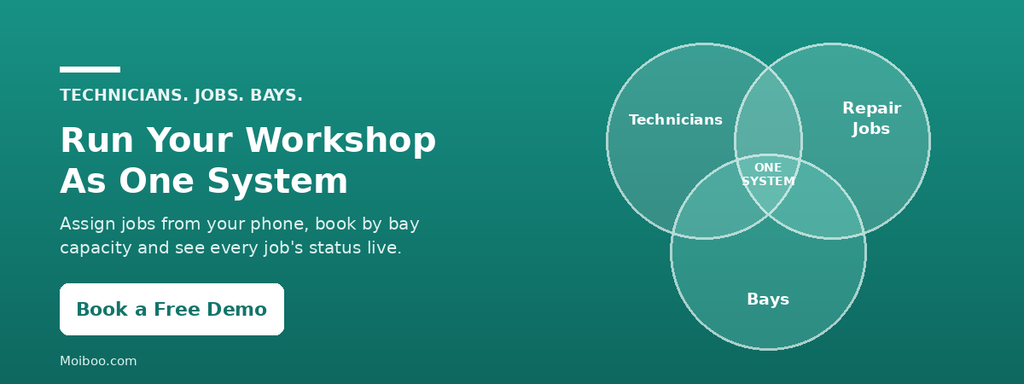
Technicians, repair jobs, and workshop bays make up a single connected system in any automotive workshop. Managing them together with clear assignment, capacity-based booking, and live status visibility transforms workflow, reduces hidden delays, and keeps customers happy. With the right workshop management software, supervisors and service managers can focus on growing the business, not chasing updates.