
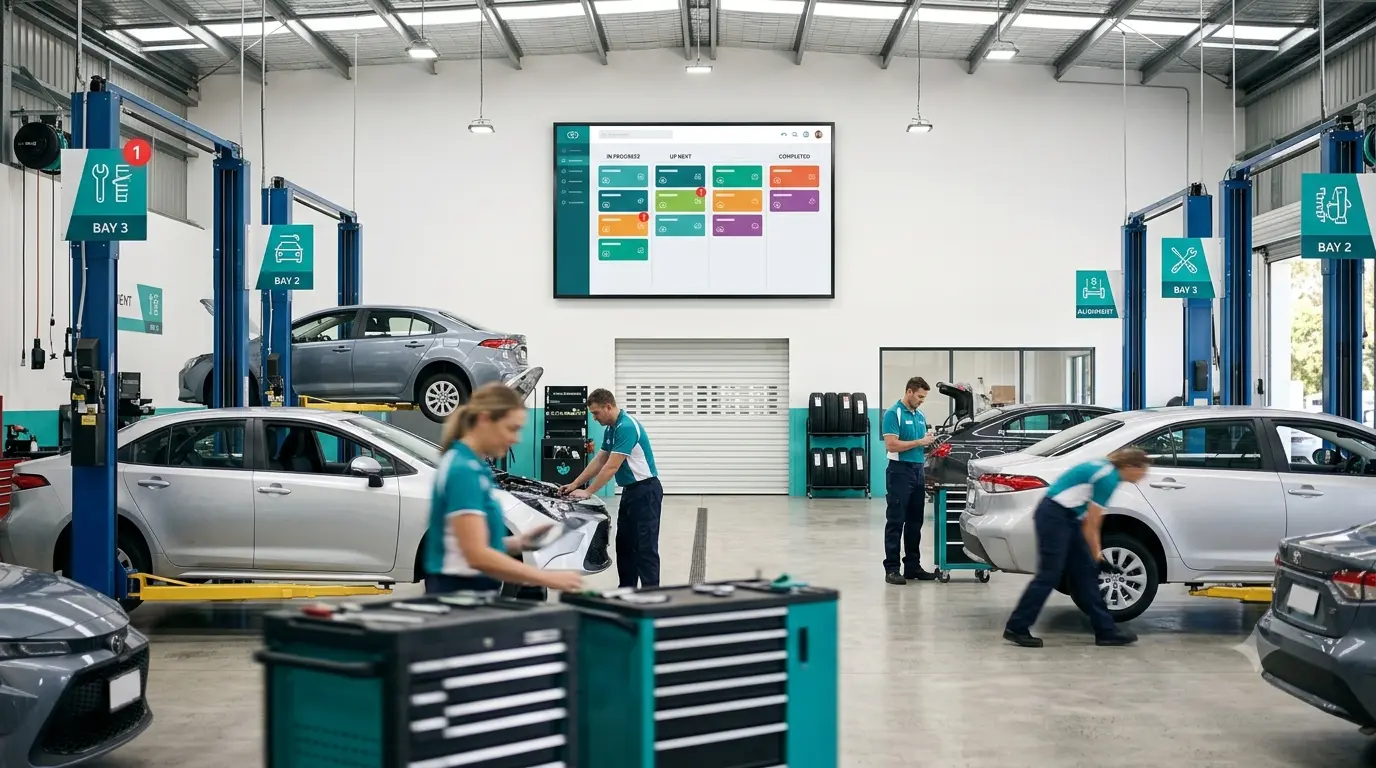
Repair delays in automotive workshops rarely come down to technician skill. More often, they result from poor visibility into job status, unclear technician workloads, and a lack of coordination across the shop floor. In today’s fast-paced service environment, relying on paper job cards or verbal updates leads to bottlenecks that impact customer satisfaction and revenue. That’s why digital workshop dispatch software is transforming how modern workshops operate.
Below, we’ll explore five practical strategies to slash repair delays each rooted in best practice and powered by Moiboo’s Workshop Management Software Singapore. Whether you run a small garage or a large multi-bay operation, these approaches can help you streamline repair job management and boost workshop efficiency.
1. Give Every Technician Clear, Real-Time Job Visibility
Delays often begin when technicians aren’t sure which jobs are assigned to them, what’s next in the queue, or where a repair stands in the process. Instead of chasing down supervisors or walking the floor to check job cards, a digital dispatch board puts live job data front and center.
How Moiboo Helps:
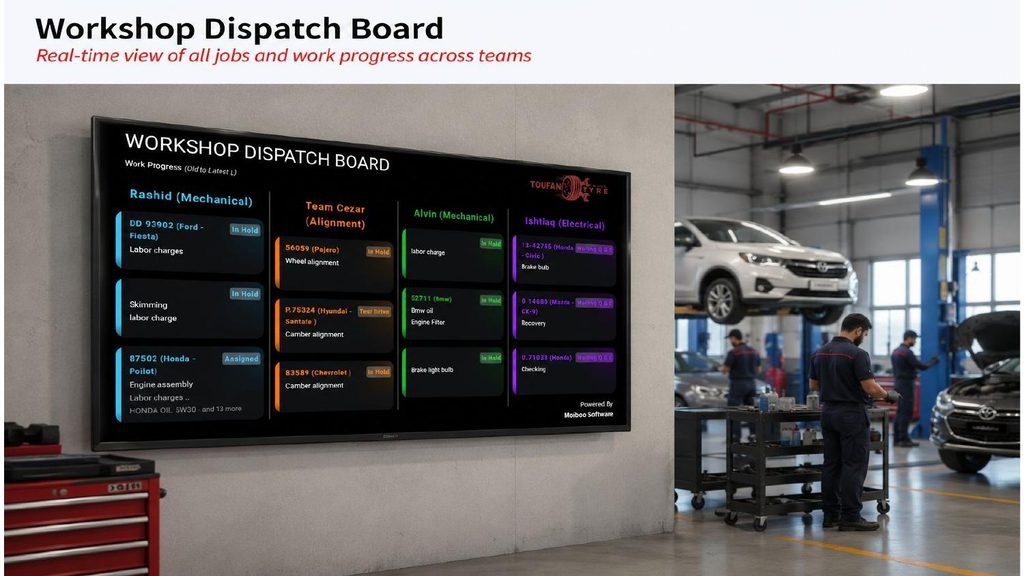
Moiboo’s Workshop Dispatch Board displays up-to-the-minute job allocations for each technician, visible on a dedicated shopfloor TV or display. Job status such as “in hold,” “assigned,” or “waiting Q&C” is always clear, eliminating confusion and wasted time. No more relying on verbal check-ins or manual whiteboards; everyone knows what needs attention, reducing idle time and missed steps.
2. Assign and Reassign Jobs on the Go, Not from a Desk
Workshop supervisors can lose valuable time if they’re tied to a desktop for assigning jobs. When you’re on the shop floor, you need the ability to react instantly to changing workloads and technician availability.
How Moiboo Helps:
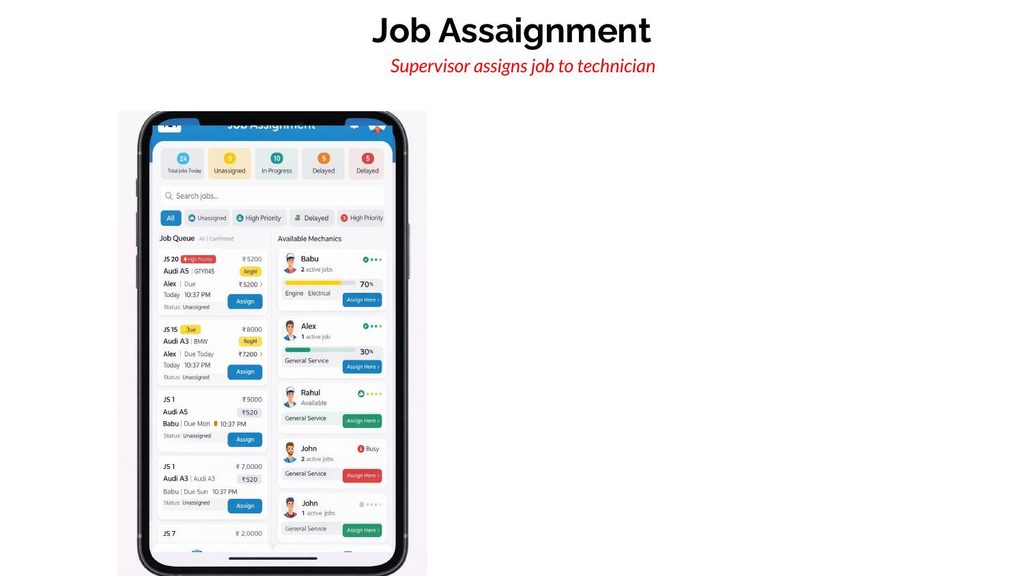
With Moiboo’s Job Assignment app, supervisors can view technician schedules, active job loads, and priorities from any mobile device. Assigning or reassigning jobs happens in real time no need to return to the office or wait for paperwork. The system integrates with technician scheduling software, so every assignment reflects true workload and availability, making your workshop workflow software much more agile.
3. Flag Priority and Delayed Jobs Automatically
Routine jobs can easily block urgent repairs if there’s no way to highlight priorities. Manual systems rarely flag delays until a customer complains.
How Moiboo Helps:
Moiboo’s Job Assignment view uses automatic tagging to indicate whether a job is unassigned, in-progress, high-priority, or delayed. Supervisors get instant visibility into which repairs are at risk of running late and can shuffle technicians to where they’re needed most. This proactive approach to repair job management means high-priority work never gets stuck behind less urgent tasks.
4. Track Time Spent Per Job to Spot Bottlenecks
Without accurate time tracking, it’s impossible to know if delays come from technician workload, parts shortages, or lengthy diagnostics. Guesswork leads to recurring bottlenecks and extended turnaround times.
How Moiboo Helps:
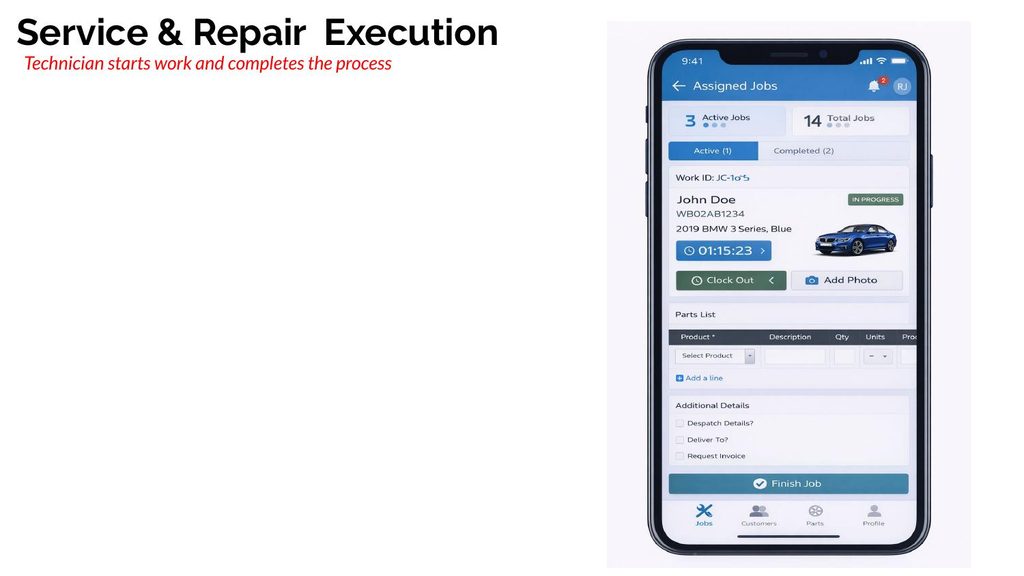
Moiboo’s Service & Repair Execution module lets technicians clock in and out on each job, recording actual time spent. Supervisors can quickly spot which jobs or steps consistently take longer than expected and investigate the root causes whether that’s waiting on parts, needing extra approvals, or workload issues. This data-driven approach makes your workshop management system a powerful diagnostic tool for your own operations.
5. Connect the Dispatch Board to the Full Repair Workflow
A dispatch board that operates in isolation separate from quoting, parts, and approvals is little more than a digital whiteboard. The real gains come from connecting your workshop workflow software into a single, unified system.
How Moiboo Helps:
In Moiboo, the Workshop Dispatch Board is directly linked to quotes, job cards, parts inventory, and invoicing. Job status updates in real time as parts arrive, quotes are approved, or quality checks are completed. This ensures the board always reflects the true state of each repair: no more manual updates or mismatched information. Workshop management software Singapore-wide is moving in this direction for a reason it’s the only way to maintain total visibility and control.
Workshop Dispatch Board FAQ
A job card system tracks individual repair jobs, but a dispatch board gives a real-time, visual overview of technician workloads and job status across the entire workshop. The best systems integrate both for seamless workflow.
Absolutely. Even in a small team, a digital dispatch board eliminates guesswork, prevents double-booking, and helps you handle more jobs per day without chaos.
Yes. While a shopfloor TV makes job status visible to everyone, you can also access Moiboo’s dispatch board on tablets, smartphones, or any web-connected device.
By clearly showing job status, required approvals, and quality control stages, a digital dispatch board ensures nothing slips through the cracks reducing mistakes, missed steps, and costly rework.
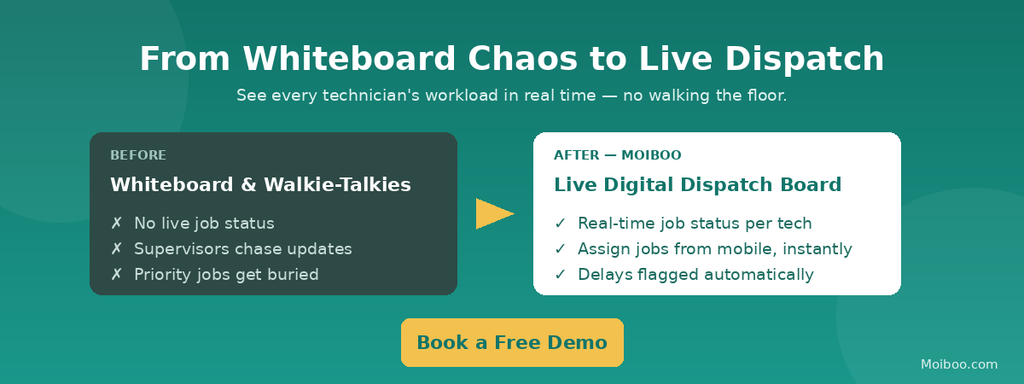
Faster Dispatch = Shorter Repair Turnaround
A digital dispatch board transforms how workshops manage jobs, allocate technician time, and keep repairs on schedule. By connecting technician scheduling software, job cards, and parts management into one workshop management system, you ensure every job moves swiftly from intake to completion. The result? Faster repair turnaround, higher daily job throughput, and happier customers.
Ready to see how Moiboo’s Workshop Dispatch Board can transform your operations? Book a demo today and experience the future of workshop management software Singapore for yourself.