
Choosing the best car rental management software is a pivotal decision for any car rental business owner or fleet manager. The right vehicle rental software can transform daily operations, boost efficiency, and help you deliver a seamless customer experience. But with every vendor promising “all-in-one” solutions, how do you cut through the marketing and find the system that genuinely fits your needs? This guide is designed for those moving beyond spreadsheets and messaging apps owners and managers who want a practical, decision-oriented approach to building a software shortlist.
1. Why the Choice Matters
Selecting car rental software isn’t just about today’s convenience. Your choice will shape how your team operates for years. Changing systems later means retraining staff and transferring records, which can disrupt business. Making a careful, informed choice at the start ensures your team adapts quickly and your rental business software remains a long-term asset.
2. Step 1: Define Your Rental Model Before You Compare Anything
Before comparing car rental management systems, clarify your own business model. Ask yourself:
- Do you rent vehicles daily, weekly, monthly, or a mix?
- Are your customers mostly individuals, companies, rideshare drivers, or self-drive renters?
- What’s your current fleet size, and do you plan to grow?
- How many branches or locations do you operate?
- Who on your team will use the software: front-desk staff, mechanics, sales, or management?
Your answers will determine which features are essential and which are “nice to have.” For example, a fleet serving mostly corporate clients may need bulk invoicing and contract management, while a self-drive fleet needs robust handover inspection tools.
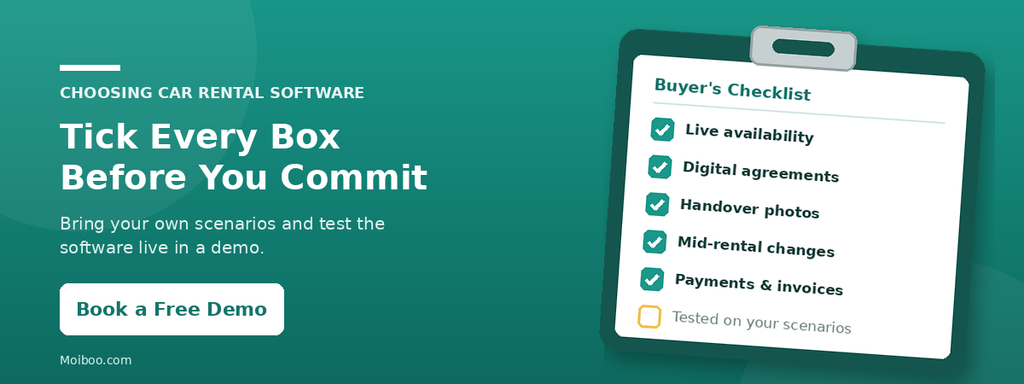
3. Step 2: Check the Features That Matter (Buyer’s Checklist)
Here’s a breakdown of essential rental fleet management software features to consider, along with how Moiboo addresses each one:
Enquiries and Availability
What to look for: A real-time, shared view of which vehicles are available, booked, due for return, or under maintenance. It should also centralize customer enquiries so your sales team can respond quickly.
Why it matters: Double-bookings and lost leads mean missed revenue.
Moiboo: The Fleet Dashboard provides a color-coded calendar view for availability, bookings, overdue returns, and maintenance. Its CRM and Customer Enquiry module collects leads from all channels, including web forms, into one list, where sales managers can assign leads and schedule follow-ups.
Deposits and Agreements
What to look for: Fast, paperless deposit collection and digital signing of agreements.
Why it matters: Manual paperwork wastes time and increases risk of errors.
Moiboo: Allows you to send e-forms for deposit collection and distribute agreements via WhatsApp for digital signature, streamlining the start of each rental.
Handover Inspection
What to look for: A systematic way to record vehicle condition at both pick-up and return, ideally with photos and a checklist.
Why it matters: Helps resolve disputes and protects your fleet.
Moiboo: The Check-out & Handover feature captures photos and a detailed checklist (fuel, tyres, interior, damage, documents) at both pickup and drop-off.
Changes During a Rental
What to look for: Flexibility to handle real-world rental changes without starting over.
Why it matters: Rentals often need to be paused, extended, or modified.
Moiboo: Supports pausing/resuming contracts (e.g., for breakdowns), extending rental periods, replacing vehicles (upgrade/downgrade/same class), stopping rentals early, and adjusting charges (like late fees) as needed.
Payments and Invoicing
What to look for: Multiple payment options, automated invoicing, and clear customer records.
Why it matters: Makes it easier to collect payments and stay on top of accounts.
Moiboo: Offers payment collection via QR, bank transfer, card, e-giro, and a customer app for invoice viewing and payment history. Invoices and credit notes update automatically when agreements change. Peppol e-invoicing is also available.
Maintenance
What to look for: Tools to schedule and track maintenance, log complaints, and manage workshop jobs.
Why it matters: Reduces breakdowns and helps control maintenance costs.
Moiboo: Enables you to build a maintenance schedule, track upcoming services, create job cards, and manage workshop quotes. All service-due items and complaints appear in a unified customer care list.
Fines and Tolls
What to look for: A way to log fines or tolls and assign them to the correct driver.
Why it matters: Ensures charges are recovered fairly and promptly.
Moiboo: Lets you log fines/tolls, find the responsible driver, and tag the fine to their record.
Promotions (Nice to Have)
What to look for: The ability to offer and track discounts or bonuses.
Why it matters: Useful for marketing and customer retention.
Moiboo: Allows you to set up and redeem promotions such as petrol bonuses, no-claim bonuses, or free rental periods.
4. Step 3: Check the Technology
Modern car rental operations software is often cloud-based. This means it runs over the internet, so your team can access it from any location, without the need to maintain servers on-site. When evaluating cloud-based car rental software, consider:
- Is there mobile access for staff at vehicle handover or inspection?
- Who owns the business data?
- How are updates and new features deployed?
- What support and training are included?
Moiboo: Offers a web dashboard for office use and mobile apps for tasks like handover inspection, supporting flexible use across locations and roles.
5. Step 4: Compare Cost Properly
Look beyond the base price. Ask each vendor for a full breakdown covering:
- Setup and onboarding fees
- Training for your team
- Per-vehicle or per-user charges
- Add-on modules (e.g., customer app, promotions, maintenance)
- What is included as standard
Always request a quote that matches your fleet size and business model in writing.
6. Step 5: Test With Your Own Scenarios in a Demo
Insist on a live demo using real-world scenarios:
- Attempt to double-book a vehicle
- Extend an ongoing rental
- Replace a vehicle for a customer mid-contract
- Record vehicle damage at return
- Send an invoice and view payment history
- Check a car’s maintenance status
This approach reveals how intuitive and flexible the car rental system really is.
7. Common Mistakes When Choosing Rental Software
- Choosing only on price, not suitability
- Paying for advanced features you’ll never use
- Ignoring the need for mobile handover tools
- Picking a system that can’t change a contract after it starts
- Skipping a demo with real-life scenarios
- Assuming data migration or staff training is automatically included
Frequently Asked Questions
Car rental software focuses on booking, agreements, billing, and customer management, while fleet management software emphasizes vehicle tracking, maintenance, and utilization. Some car rental management systems include both.
Cloud-based car rental software allows your team to access the system from anywhere, often with easier updates and no need for in-house servers. However, always check how your data is managed and what kind of internet connection you’ll need.
The timeline depends on your fleet size and how much data needs to be transferred. Preparation and training help speed up the transition. Ask each vendor what’s included for onboarding.
Many car rental systems, including Moiboo, support a range of rental periods. Confirm that your chosen software can handle your most common contract types.
List your typical rental scenarios, have a sample contract and invoice ready, and note your must-have features. This helps you test how the software handles real-world needs.
Conclusion
The right car rental management software is the one that fits your business model and can adapt to real-life changes, whether that’s mid-rental modifications, digital paperwork, or automated invoicing. The most reliable way to choose? Ask each vendor to demonstrate your actual scenarios in a live demo, not just generic features.